Last Updated: May 2026 | Some links on this page are affiliate links. This costs you nothing and helps fund our independent research.
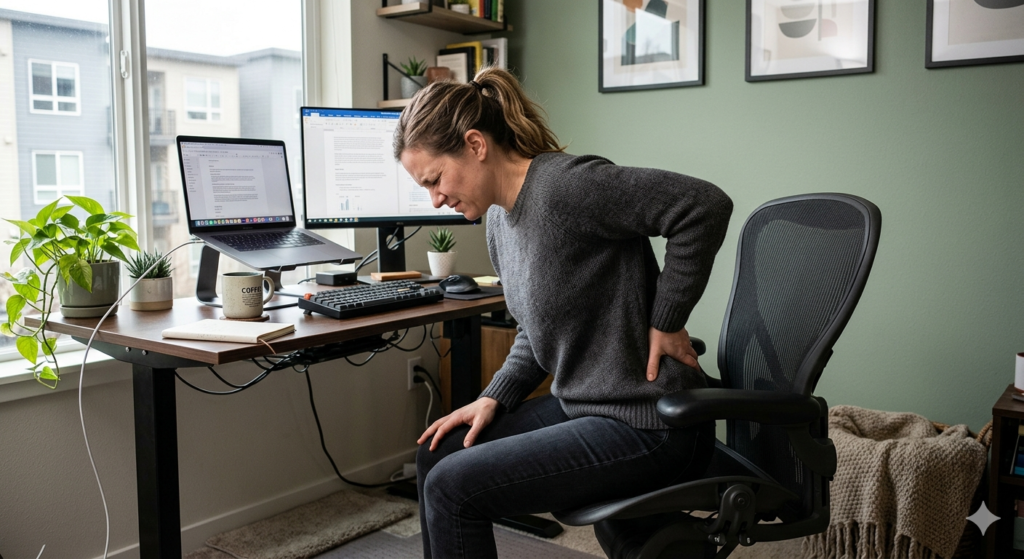
Back pain is the leading cause of work-related absence in the UK, and for desk workers, the chair is almost always a contributing factor. A poorly designed seat creates sustained pressure on the lumbar spine, restricts circulation, and forces the muscles of the lower back to work continuously just to maintain an upright position. Over months and years, this accumulates into chronic discomfort that no amount of stretching fully resolves.The good news is that the right ergonomic chair makes a measurable difference. Not by correcting poor posture through force, but by supporting the spine’s natural curvature so that maintaining good alignment requires no effort at all.This guide covers the best ergonomic chairs for back pain available in the UK in 2026 — assessed on lumbar support quality, seat pressure distribution, adjustability, and real-world long-session comfort.
What Actually Causes Chair-Related Back Pain
Understanding the mechanism helps you choose the right solution. Most chair-related back pain originates from one or more of the following:
Inadequate lumbar support. When the lower back is unsupported, the lumbar spine flattens or reverses its natural inward curve. The muscles surrounding it compensate by contracting continuously — which is fatiguing and, over time, painful.
Poor seat depth. If the seat is too long for your leg length, you either sit forward (losing back contact with the chair entirely) or push your knees against the seat edge, restricting circulation. If too short, your thighs are unsupported and your weight is concentrated on the sit bones.
Incorrect armrest height. Armrests set too high cause shoulder elevation and upper trapezius tension. Too low, and you hunch forward to reach them — which rounds the lower back.
Fixed sitting position. Any static posture, even a good one, creates muscular fatigue over time. A chair that allows and encourages movement — through recline tension, a flexible back, or a dynamic lumbar system — reduces this significantly.
Knowing this, the chairs worth buying for back pain are those that address all four factors, not just one.
Our Top Picks at a Glance
| Chair | Best For | Price Range |
| SIHOO M57 | Best overall for back pain | £180–£300 |
| FlexiSpot ErgoX | Most targeted back pain relief | £300–£450 |
| SIHOO Doro C300 | Best dynamic lumbar support | £300–£450 |
| CLOUVOU Clever Seat | Best for full adjustability | £300–£450 |
| Habada E3 Air | Best pressure distribution | £300–£400 |
| Hbada Ergonomic Chair | Best budget option | £100–£180 |
1. SIHOO M57 — Best Overall for Back Pain
👉 Check Current Price on Amazon.co.uk →
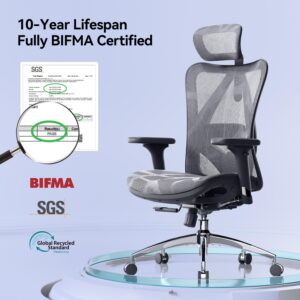
The SIHOO M57 is our top recommendation for most UK desk workers experiencing back pain, and the reasoning is straightforward: it addresses every major cause of chair-related back discomfort within a price bracket that makes it genuinely accessible.
The lumbar support system is independently adjustable in height — you position it precisely against your lumbar curve rather than accepting a fixed pad that may or may not align with your spine. This single feature separates the M57 from the majority of chairs at similar price points, where lumbar support is decorative rather than functional.
The breathable mesh back maintains contact with the full length of your spine throughout the day, providing consistent support even as you shift position. The 4D armrests allow proper shoulder and elbow positioning, which directly reduces the upper back and neck tension that often accompanies lower back pain. The headrest is adjustable in both height and angle, supporting the cervical spine during reclined periods.
For users who have tried generic office chairs and found the back pain worsening, the M57 typically represents a significant and immediate improvement. It is not a clinical device, but it is a properly engineered ergonomic chair at a price that most home office workers can justify.
Back pain suitability: Excellent for lower back pain, general postural fatigue, and prevention Best for: Home office workers, 6–8 hour daily sessions, first serious ergonomic chair purchase Key features: Adjustable lumbar, 4D armrests, adjustable headrest, breathable mesh back
👉 See Today’s Price on Amazon.co.uk →
2. FlexiSpot ErgoX — Most Targeted Back Pain Relief
👉 Check Current Price on Amazon.co.uk →
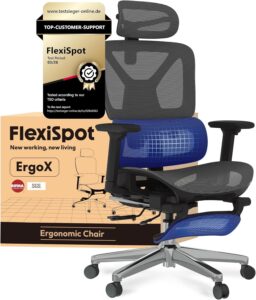
Where the SIHOO M57 is an excellent all-round ergonomic chair that addresses back pain comprehensively, the FlexiSpot ErgoX is designed with postural correction as its primary engineering objective. For users whose back pain is more significant — those who have been advised by a physiotherapist to invest in proper ergonomic seating, or who experience pain within the first hour of sitting — the ErgoX warrants serious consideration.
The lumbar support system is the most substantial of any chair in this guide: wider, deeper, and with greater adjustability than standard offerings. It maintains consistent contact with the lower spine across a wider range of sitting positions, which matters particularly for users who move around frequently during the day.
The seat pan design reduces pressure concentration at the sit bones, which is one of the most common sources of discomfort for users who sit for extended periods. Rather than a flat foam surface, the ErgoX seat distributes weight more evenly across the thighs, reducing the cumulative pressure that contributes to both localised discomfort and referred pain in the lower back.
The chair encourages a naturally upright spinal position without forcing rigidity — an important distinction. Chairs that lock you into a single upright position create their own form of muscular fatigue. The ErgoX supports good alignment while accommodating natural movement throughout the day.
Back pain suitability: Excellent for moderate to significant lower back pain, posture correction, physiotherapist-recommended ergonomic seating Best for: Users with existing back conditions, those who experience pain within the first hour of sitting Key features: Comprehensive lumbar system, pressure-distributing seat, posture-corrective design
👉 Check Price on Amazon.co.uk →
3. SIHOO Doro C300 — Best Dynamic Lumbar Support
👉 Check Current Price on Amazon.co.uk →
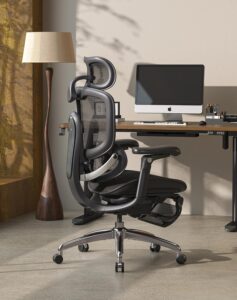
The SIHOO Doro C300 represents a meaningful step up from the M57 in one specific area that matters greatly for back pain management: the lumbar support system is dynamic rather than fixed.
On a standard ergonomic chair — including the M57 — the lumbar support is set at a position and stays there. This works well when you are sitting in the position you configured it for, but the moment you shift forward to reach the keyboard, recline to think, or turn to speak to someone, the support loses contact with your spine. Over a long working day, this means your lumbar support is only doing its job for a fraction of the time you are sitting.
The Doro C300’s dynamic lumbar system moves with you. As you change position, the support maintains contact with your lower back, providing continuous rather than intermittent support. For users who move frequently during the day — which is actually the healthy way to sit — this translates to significantly less cumulative strain on the lumbar spine.
The overall build quality is noticeably more refined than the M57, and the adjustment mechanisms are smoother. If you are making a long-term investment in your back health and want a chair that will still feel engineered rather than merely adequate after several years of daily use, the Doro C300 is the right choice.
Back pain suitability: Excellent for users who shift position frequently, long-term back health investment Best for: Full workday users, those who find standard lumbar support loses contact when they move Key features: Dynamic adaptive lumbar, premium build quality, comprehensive adjustability
👉 Check Offers on Amazon.co.uk →
4. CLOUVOU Clever Seat — Best for Complete Adjustability
👉 Check Current Price on Amazon.co.uk →
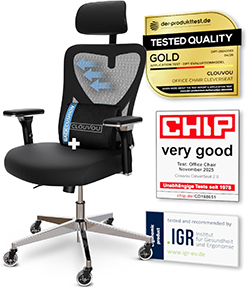
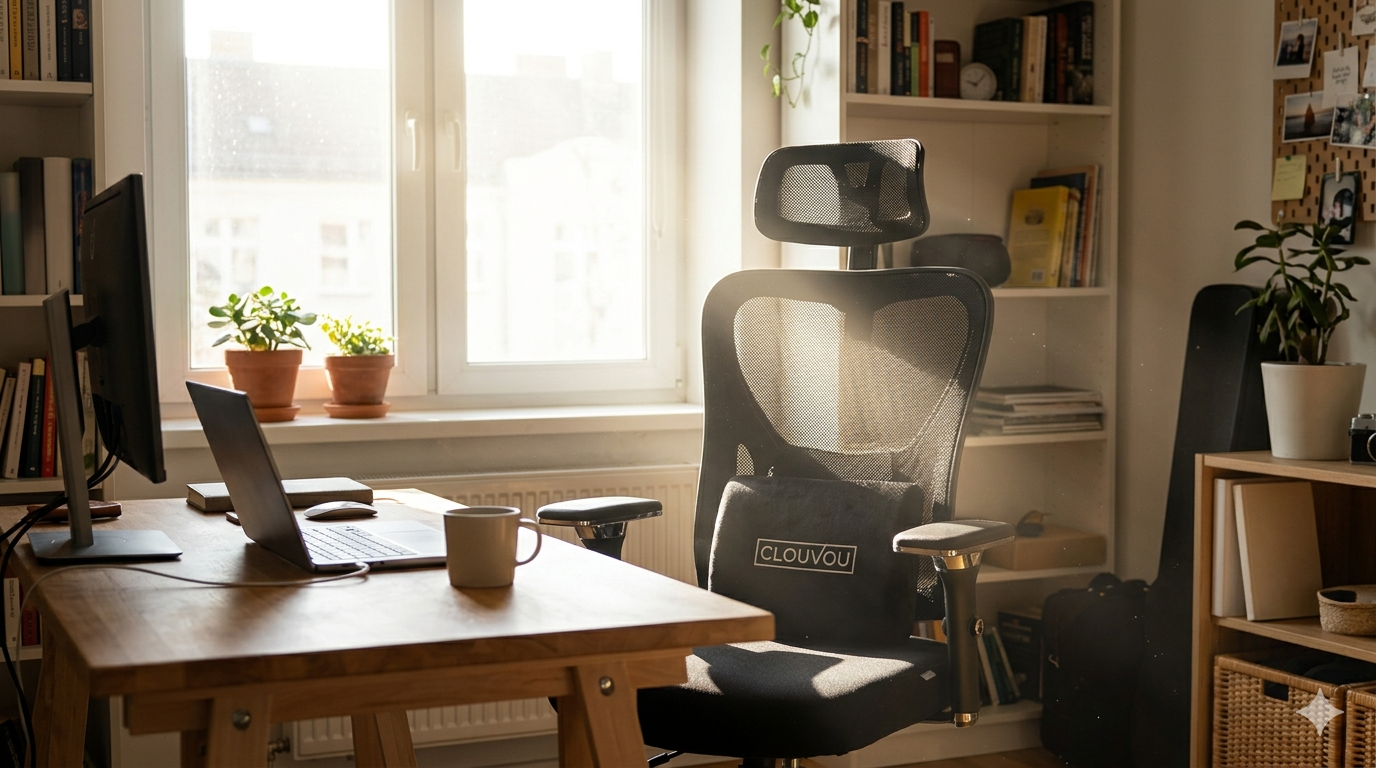
Back pain does not affect everyone the same way, and for users whose discomfort stems specifically from a chair that cannot be configured correctly for their body proportions, the CLOUVOU Clever Seat is the most comprehensive solution in this price range.
The adjustment range on the Clever Seat exceeds every other chair in this guide. Seat depth is adjustable — which allows users of different leg lengths to sit with proper lumbar contact without compromising knee clearance. The 4D armrests have a wider range of movement than is typical, allowing precise positioning for users with broader or narrower shoulders than average. The 3D headrest accommodates both upright and reclined postures without requiring readjustment.
The lumbar support provides both height and depth adjustment, meaning you can bring the support closer to or further from your spine depending on your natural curvature. Users with a pronounced lumbar curve will benefit from the depth adjustment in particular — a feature most chairs in this bracket simply do not offer.
If you have tried multiple ergonomic chairs and found that the adjustment ranges never quite work for your body, the Clever Seat’s wider-than-standard customisation range is worth the premium.
Back pain suitability: Excellent for users with non-standard proportions, those who have found other chairs cannot be adjusted correctly for their body Best for: Taller or shorter users, those requiring maximum customisation, 8–10 hour daily sessions Key features: Seat depth adjustment, wide-range 4D armrests, 3D headrest, dual lumbar adjustment
👉 Check Availability on Amazon.co.uk →
5. Hbada E3 Air — Best for Dynamic Lumbar Support
👉 Check Current Price on Amazon.co.uk →
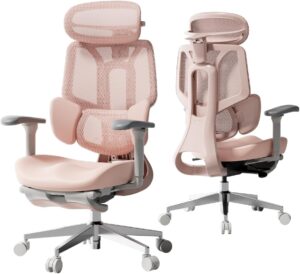
The Hbada E3 Air is one of the most capable ergonomic chairs available on Amazon UK under £400, and it earns its place in this guide through a feature most chairs at this price simply do not offer: a three-zone dynamic lumbar support system that adapts continuously to your movement rather than sitting fixed in one position.
For back pain sufferers who shift position frequently throughout the day — which is actually the healthy way to sit — this matters significantly. Standard lumbar support loses contact with your spine the moment you lean forward to type or turn to reach something. The E3 Air’s adaptive system maintains contact across a much wider range of sitting positions, providing support where and when it is actually needed.
The breathable full-mesh construction keeps airflow consistent across the entire session, and the 3D adjustable headrest accommodates both upright and reclined postures without readjustment. Seat depth is adjustable, and the recline mechanism locks at multiple angles up to 140 degrees — genuinely useful for reading breaks or calls.
Build quality is solid and the chair is well reviewed by UK buyers for long-session comfort. Assembly is straightforward and typically completed in under 20 minutes.
Back pain suitability: Excellent — particularly for users who move frequently or find fixed lumbar support loses contact Best for: Active sitters, 6–8 hour daily sessions, users wanting dynamic support without premium pricing Key features: 3-zone adaptive lumbar, full mesh back, 3D headrest, seat depth adjustment, 140° recline
6. Hbada Ergonomic Chair — Best Budget Option for Back Pain
👉 Check Current Price on Amazon.co.uk →
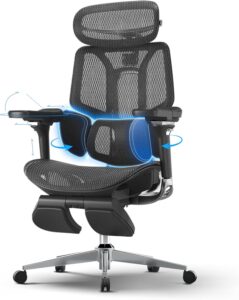
Not everyone can stretch to £200–£450 for a chair, and for users on a tighter budget who are nonetheless experiencing genuine back discomfort, the Hbada Ergonomic Chair is the most credible option under £180 available in the UK.
It does not match the adjustability or build quality of the chairs above it on this list — that is simply the reality of the price point. The lumbar support is less customisable, the armrest range is more limited, and the materials are less durable. However, it is a genuine ergonomic chair with a breathable mesh back, adjustable lumbar support, and a recline mechanism, which puts it significantly ahead of the standard non-ergonomic office chairs that many back pain sufferers are currently sitting in.
For users who need an immediate improvement while saving toward a better long-term solution, or for those whose sitting sessions are shorter (three to four hours daily), the Hbada delivers meaningful relief at an accessible price.
Back pain suitability: Moderate — a genuine improvement over non-ergonomic chairs, but limited compared to higher-budget options Best for: Budget-constrained buyers, shorter daily sessions, temporary solution while saving for an upgrade Key features: Breathable mesh, adjustable lumbar, recline function, UK available
👉 Check Latest Price on Amazon.co.uk →
How to Set Up Your Chair to Relieve Back Pain
Buying the right chair is only half the solution. An improperly adjusted ergonomic chair — even an excellent one — will not relieve back pain. Spend ten minutes on this setup when your chair arrives:
Step 1 — Seat height. Adjust until your feet are flat on the floor and your thighs are roughly parallel to it. Your knees should be at approximately 90 degrees. If your desk is too high for this position, a footrest resolves the issue.
Step 2 — Lumbar support height. Sit back fully into the chair and locate the lumbar support against the inward curve of your lower back — typically between your waistband and the bottom of your ribcage. Adjust the height until it sits firmly and comfortably in that curve.
Step 3 — Seat depth. If adjustable, set the depth so there is a two to three finger gap between the front edge of the seat and the back of your knees. This ensures thigh support without restricting circulation.
Step 4 — Armrest height. Set so your forearms rest lightly on the armrests with your shoulders relaxed and elbows at approximately 90 degrees. If your shoulders are elevated, lower the armrests. If you are hunching forward to reach them, raise them.
Step 5 — Recline tension. Adjust the recline tension so the chair offers slight resistance when you lean back, but allows movement. A chair that locks you rigidly upright creates fatigue; one that offers no resistance encourages collapse. Find the middle ground.
Allow one to two weeks of adjustment before assessing whether the chair is working. Postural muscles that have been strained over months need time to decompress and adapt to proper support.
Does a Standing Desk Help Back Pain?
For many desk workers, yes — but not because standing is better than sitting. Alternating between sitting and standing reduces the cumulative static load on the spine that accumulates through sustained periods in either position.
The ideal approach is a height-adjustable standing desk paired with a quality ergonomic chair, allowing you to move between positions throughout the day. The Sanodesk Electric Standing Desk is the strongest value option currently available in the UK — electric adjustment from 71–116 cm, memory presets, and a near-silent motor — and pairs well with any chair in this guide.
👉 Check Sanodesk on Amazon.co.uk →
Final Verdict
For most UK desk workers experiencing back pain, the SIHOO M57 is the right starting point — it addresses the primary causes of chair-related back discomfort at a price that is accessible and backed by strong reliability in the UK market.
If your back pain is more significant or has persisted despite trying other chairs, the FlexiSpot ErgoX or SIHOO Doro C300 offer more targeted solutions. If the issue is fundamentally that no chair has ever adjusted correctly for your body, the CLOUVOU Clever Seat is worth the investment.
Whatever you choose, configure it properly when it arrives. A well-adjusted chair is not a luxury — for desk workers, it is a basic health requirement.
👉 See All Available On Amazon.co.uk →
Frequently Asked Questions
What is the best office chair for lower back pain in the UK? The SIHOO M57 is the strongest overall option for most users — adjustable lumbar support, breathable mesh back, and 4D armrests at an accessible price. For more significant back pain, the FlexiSpot ErgoX is the more targeted solution.
Can an ergonomic chair cure back pain? Not cure, but significantly reduce it. The right chair removes the postural stress that causes and perpetuates chair-related back pain. Combined with regular movement breaks and proper setup, most desk workers experience meaningful improvement within two to four weeks.
How much should I spend on a chair for back pain? For genuine ergonomic benefit, plan to spend at least £150–£200. Below this, the adjustment mechanisms and lumbar support systems are typically too basic to make a meaningful difference. The chairs delivering the best results for back pain in the UK fall between £200 and £450.
Is mesh or foam better for back pain? Mesh backs are generally better — they maintain contact with the full spine, allow airflow, and do not compress over time. For the seat itself, foam provides more initial cushioning which some users with hip or pressure sensitivity prefer. The Boulies EP200 offers a foam seat with a mesh back if you want both.
How long before an ergonomic chair helps back pain? Most users notice improvement within one to two weeks of properly configured use. Significant postural change and muscle adaptation typically takes four to six weeks. If pain worsens after two weeks despite correct setup, consult a physiotherapist — the chair may not be the primary cause.
Should I see a doctor before buying an ergonomic chair for back pain? If your back pain is severe, persistent beyond several weeks, or accompanied by other symptoms, yes. A physiotherapist can also provide specific guidance on the type of support your spine requires, which helps narrow chair selection considerably.