Last Updated: May 2026. We research independently. Some links are affiliate links — this costs you nothing and helps fund our work.
Programming is one of the most ergonomically demanding desk jobs that exists. The combination of sustained static sitting, intense visual focus on screens, continuous repetitive hand and wrist movement, and the tendency to lose track of time during deep work creates predictable physical problems:
Lower back pain
Neck tension
Wrist strain
Accumulated fatigue that degrades both health and output
Most developers ignore ergonomics until the discomfort becomes impossible to ignore. By that point, the habits and workspace configuration causing the problems have been embedded for months or years.
Quick links to today’s top picks:
👉 Clouvou Clever Seat on Amazon UK
👉 Huanuo Dual Monitor Arm on Amazon UK
👉 Logitech MX Master 3 on Amazon UK
👉 MAIDeSITe Standing Desk on Amazon UK
This guide covers every component of an effective ergonomic setup for programmers in the UK, in priority order.
Why Programmers Are Particularly at Risk
| Risk Factor | Why it matters for programmers |
|---|---|
| Session length | Deep work = 2–4 hours without postural breaks. Sustained static posture accumulates. |
| Wrist and hand load | Millions of keystrokes per working year. Wrist position determines whether repetitive strain develops. |
| Screen dependency | Code requires close attention. Developers lean toward screens → forward head posture → neck tension. |
| Dual monitor use | Sustained neck rotation to secondary screen is a consistent cause of lateral neck pain. |
Priority Order: Where to Spend First
| Priority | Component | Why |
|---|---|---|
| 1st | Chair | You’re in contact with this the entire session. Most impactful single investment. |
| 2nd | Monitor position | Forward head posture from low screen is 2nd most common cause of pain. Often fixable cheaply. |
| 3rd | Keyboard + mouse | Wrist strain is the occupational health risk most specific to programmers. |
| 4th | Desk | Height-adjustable desks are valuable but not the first priority. |
| 5th | Lighting + accessories | Meaningful improvements to comfort and eye strain. |
1. The Chair — Foundation of Everything
A programmer’s chair is not a comfort purchase — it is a health investment that directly determines how your spine is loaded during every hour of every session.
What Programmers Specifically Need
| Feature | Why it matters |
|---|---|
| Adjustable lumbar support | Non-negotiable. Spine must be supported passively, not through muscular effort. |
| 4D armrests | Removes shoulder elevation and upper trapezius tension during continuous typing. |
| Breathable mesh back | Prevents heat buildup during 3–4 hour uninterrupted sessions. |
| Seat depth adjustment | Essential for taller programmers or those whose knees hit the seat edge. |
SIHOO M57 — Best Overall Chair for Programmers UK
👉 Check Current Price on Amazon.co.uk →
– best chair for most programmers under £300

The SIHOO M57 is the strongest ergonomic chair for programmers under £300 in the UK. Its adjustable lumbar support, 4D armrests, breathable mesh back, and included headrest cover every ergonomic requirement for long coding sessions.
The 4D armrest adjustment is particularly relevant for programmers — you can set height, width, depth, and pivot angle precisely for your specific keyboard and desk height combination, eliminating shoulder tension.
Best for: Most programmers, 6–8 hour daily sessions, home office setups, best value under £300
Key features: Adjustable lumbar, 4D armrests, breathable mesh, adjustable headrest, BIFMA certified
Consideration: Firm seat — typical 1–2 week adjustment period
👉 Check Current Price on Amazon.co.uk →
Clouvou Clever Seat — Best Premium Chair for Programmers
👉 Check Current Price on Amazon.co.uk →
– best for 8–10 hour coding days
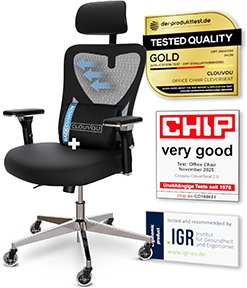
For programmers working 8–10 hours daily, or those who have found standard chairs cannot be adjusted to fit correctly, the Clouvou Clever Seat is the strongest option under £500.
The seat depth adjustment — the Clever Seat’s defining advantage — is particularly relevant for taller developers. The wider 4D armrest range accommodates broader shoulders, and lumbar depth adjustment allows more precise support.
Best for: Developers working 8–10 hour daily sessions, taller programmers, those needing maximum adjustability
Key features: Adjustable seat depth, wide 4D armrests, height and depth adjustable lumbar, 3D headrest
Consideration: Higher price — worth it for long sessions or hard-to-fit body types
👉 Check Current Price on Amazon.co.uk →
👉 Full review: Clouvou Clever Seat Review UK →
2. Monitor Position — Cheapest Fix, Biggest Neck Impact
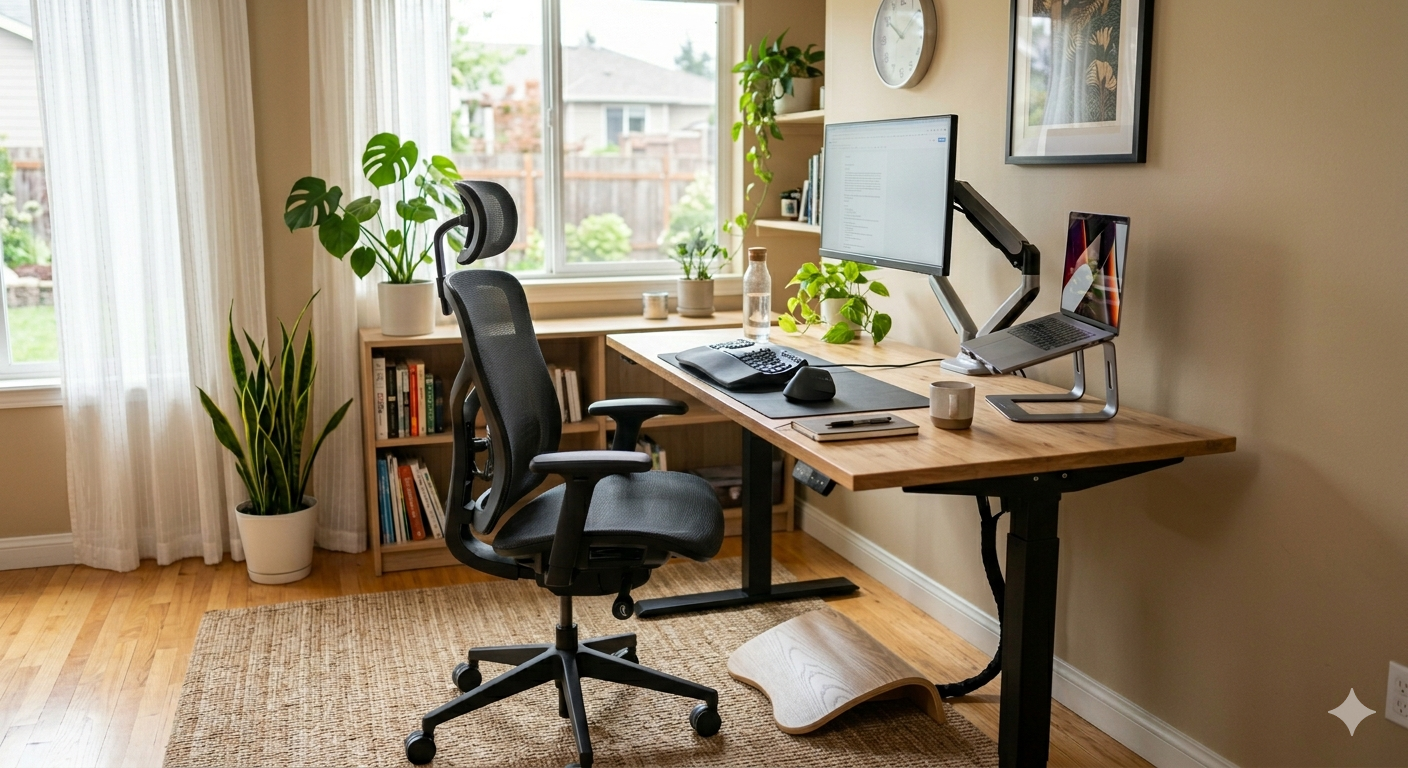
Most developers work with their monitor too low. A screen sitting flat on a desk positions the centre of the screen at chest height — which means sustained downward gaze and progressive forward head posture.
Single monitor setup: Top of screen at approximately eye level. A monitor riser (£20–£35) or monitor arm (£25–£50) achieves this instantly.
Dual monitor setup: Primary monitor directly in front at eye level. Secondary monitor immediately adjacent at the same height — not at a wide angle requiring sustained neck rotation.
Huanuo Dual Monitor Arm — Best for Developer Dual Screen Setups
👉 Check Current Price on Amazon.co.uk →
– best dual monitor arm for programmers
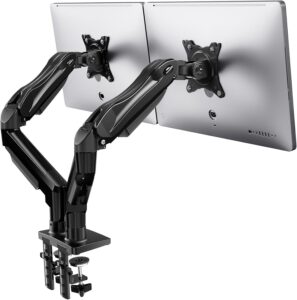
The Huanuo Dual Monitor Arm is the strongest value option for developer dual-screen setups on Amazon UK. Independent adjustment of each arm allows you to position the primary monitor directly at eye level and the secondary at the same height immediately beside it — eliminating neck rotation.
The gas spring mechanism allows smooth repositioning without tools. The cable management system routes cables cleanly along the arm.
Best for: Developers using two monitors, clean desk setups, precise independent screen positioning
Key features: Independent dual arm adjustment, gas spring mechanism, cable management, supports most standard monitors
👉 Check Current Price on Amazon.co.uk →
3. Keyboard and Wrist Position — The Programmer-Specific Risk
Wrist strain and repetitive strain injury are the occupational health risks most specific to programmers.
Neutral wrist position — neither bent upward nor downward — is the target. The keyboard should be positioned so forearms are roughly parallel to the floor, with wrists straight when fingers rest on the home row.
Keyboard distance — close enough that you are not reaching forward. Reaching causes shoulder protraction and upper back rounding.
Wrist rests — used between typing periods, not during. Resting wrists on a pad while typing creates carpal tunnel pressure.
Mouse position — directly beside the keyboard at the same height.
Logitech MX Master 3 — Best Mouse for Programmers UK
👉 Check Current Price on Amazon.co.uk →
– best mouse for developers
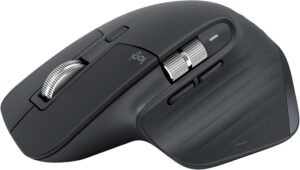
The Logitech MX Master 3 is the most widely recommended mouse for professional developers in the UK. Its ergonomic contoured shape supports a natural hand position, reducing the pronation (palm-down rotation) that standard flat mice impose.
The MagSpeed scroll wheel is specifically useful for developers — fast, precise scrolling through long code files without repetitive wrist flexion.
Best for: Developers spending long daily sessions with a mouse, users experiencing wrist or forearm strain
Key features: Ergonomic contoured shape, thumb rest, MagSpeed scroll wheel, programmable buttons, multi-device connectivity
👉 Check Current Price on Amazon.co.uk →
Fellowes Memory Foam Wrist Rest — Best Wrist Support
👉 Check Current Price on Amazon.co.uk →
– best wrist rest for keyboard use
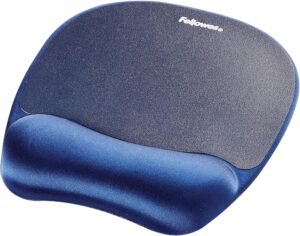
The Fellowes Memory Foam Wrist Rest is the most consistently recommended wrist rest in the UK — stable, adequately cushioned without being so soft that the wrist sinks below neutral position.
Used between typing periods rather than during them, it maintains neutral wrist position effectively during reading and code review.
👉 Check Current Price on Amazon.co.uk →
4. Standing Desk — Valuable but Fourth Priority
A height-adjustable standing desk is valuable — but it is the fourth priority, not the first.
A developer in a good chair with correct monitor position and wrist support who buys a standing desk will see meaningful additional benefit. A developer in a poor chair who buys a standing desk first has addressed the wrong problem.
Practical target for most programmers: Stand for 10–15 minutes per hour. Use memory presets so switching is a single button press. Add an anti-fatigue mat.
MAIDeSITe Electric Standing Desk — Best for Programmer Setups
👉 Check Current Price on Amazon.co.uk →
– best standing desk for developers
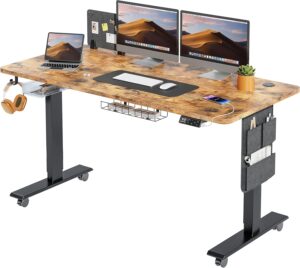
The MAIDeSITe Electric Standing Desk is the strongest value standing desk for programmer setups. The 140x70cm desktop provides adequate width for a dual-monitor arm setup, memory presets allow instant switching, and the carbon steel frame provides stability for a loaded dual-monitor configuration at standing height.
Best for: Programmers with dual-monitor setups, developers wanting sit-stand alternation, home offices
Key features: Electric height adjustment, 4 memory presets, cable management tray, stable carbon steel frame, FSC desktop option
👉 Check Current Price on Amazon.co.uk →
👉 See Best Standing Desks UK →
5. Lighting and Eye Strain
Eye strain is a significant but often overlooked contributor to developer fatigue.
| Issue | Fix |
|---|---|
| Screen glare | Position monitor so windows are to the side, not behind or in front |
| Ambient lighting | Soft indirect light + adjustable desk lamp to match screen brightness |
| Blue light (evening sessions) | Night mode or blue light filter (built into Windows/macOS) |
| Monitor brightness | Set to match ambient light — not maximum regardless of conditions |
6. Cable Management
A cluttered desk is an ergonomic problem. Reaching around cables, being unable to adjust monitor position, and visual distraction all add friction.
A cable management tray mounted under the desk + velcro cable ties + a power strip positioned out of the working area resolves most cable problems permanently for under £30.
The Complete Programmer Ergonomic Setup — Summary
| Priority | Component | Recommendation |
|---|---|---|
| 1st | Chair | SIHOO M57 (or Clouvou Clever Seat for premium) |
| 2nd | Monitor position | Huanuo Dual Monitor Arm |
| 3rd | Mouse | Logitech MX Master 3 |
| 3rd | Wrist rest | Fellowes Memory Foam |
| 4th | Standing desk | MAIDeSITe Electric |
| 5th | Lighting | Adjustable desk lamp + screen settings |
| 5th | Cable management | Under-desk tray + velcro ties |
Approximate total budget:
| Level | Budget | Includes |
|---|---|---|
| Entry | £160–£260 | Chair + monitor riser + wrist rest |
| Mid-range | £250–£400 | Add monitor arm + ergonomic mouse |
| Full setup | £450–£750 | Add standing desk |
Common Mistakes Programmers Make
| Mistake | Why it’s wrong |
|---|---|
| Buying standing desk before chair | Chair is where you spend most of your time — higher priority. |
| Using monitors at desk height | Most common and most impactful mistake. £25 riser fixes this. |
| Typing with wrists on wrist rest | Wrist rests are for BETWEEN typing periods, not during. Creates carpal tunnel pressure. |
| Sitting through deep work without breaks | Flow state is the enemy of postural breaks. Set a phone reminder. |
| Ignoring armrest height | Armrests that can’t be raised high enough contribute to shoulder tension all day. |
Final Verdict
For most UK programmers, build your setup in priority order rather than buying everything at once:
Chair first — SIHOO M57 addresses every ergonomic fundamental
Raise monitor to eye level — monitor riser (£25) eliminates forward head posture
Add ergonomic mouse + wrist rest
Add monitor arm + standing desk as budget allows
A complete, well-configured programmer ergonomic setup costs between £250–£750 depending on components, lasts 4–5 years, and delivers a working environment that supports both physical health and sustained cognitive performance.
👉 View Clouvou Clever Seat on Amazon UK
👉 View MAIDeSITe Standing Desk on Amazon UK
Frequently Asked Questions
What is the best ergonomic setup for programmers in the UK?
Start with the SIHOO M57 chair, raise your monitor to eye level (monitor arm or riser), add a Logitech MX Master 3 mouse, and add a standing desk as a fourth-priority investment.
Why do programmers develop back pain?
Long uninterrupted sitting + forward lean toward screen + sustained wrist load + inadequate postural support. Solution: proper chair + correct monitor height + deliberate postural breaks.
Are standing desks worth it for programmers?
Yes, as a fourth-priority investment after chair, monitor position, and wrist support. The posture reset during standing periods is particularly valuable for deep work sessions.
What is the best mouse for programmers?
Logitech MX Master 3 — ergonomic shape, thumb rest, MagSpeed scroll wheel for long code files, programmable buttons.
How should programmers position dual monitors?
Primary monitor directly in front at eye level. Secondary immediately adjacent at the same height — not at a wide angle requiring sustained neck rotation.
How long should programmers sit before taking a break?
No longer than 45 minutes without a postural break. Deep work makes this hard — a phone reminder at the top of each hour is the most practical solution.